
SayItVid makes it easy to hear how English words are actually pronounced in real conversations. While you can search words immediately without an account, creating a free account takes less than a minute and lets you save your favorite clips, build study playlists, and practice on any device. Here is everything you need to know about setting up and managing your account.
Why Create a Free Account?
You can use SayItVid as a guest, but signing up for a free account gives you three big advantages:
- Unlimited searches: Guests have a daily search limit. Signing in removes all limits so you can look up as many words as you want.
- Save your favorite clips: Whenever you hear a great example, save it directly to your own playlists so you never lose it.
- Practice on any device: Your saved words and playlists automatically sync between your phone, tablet, and computer.
Signing up is 100% free and only requires an email address and a password. No credit card or personal details are ever needed.
How to Sign Up in 3 Quick Steps
Creating your account takes just a few clicks:
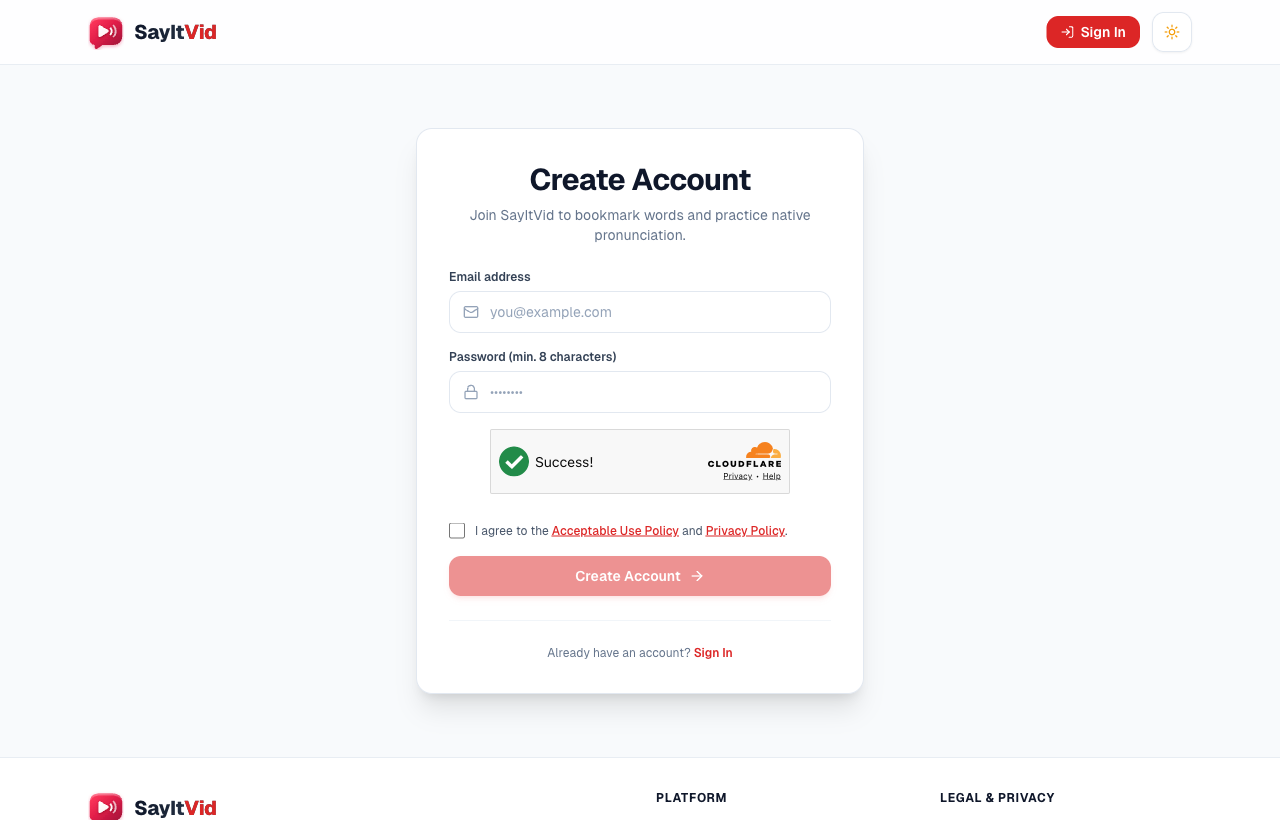
- 1Click the red Sign In button at the top right of the website, then select Create Account (or visit /register directly).
- 2Type your email address and pick a password of at least 8 characters.
- 3Check the box agreeing to the Terms of Service and Privacy Policy, then click Create Account.
To protect everyone from automated spam bots, SayItVid includes a quick security check by Cloudflare. In almost all cases, you will just see a friendly green checkmark without having to solve annoying puzzle pictures.
Confirming Your Email (6-Digit Code)
Right after you click Create Account, we send a 6-digit verification code to your email inbox (for example: 492815).
- 1Open your email and find the message from SayItVid.
- 2Enter the 6 digits into the verification box on your screen and click Verify Code.
- 3Your account is now verified, and you will be signed in automatically!
If you don't see the email after a minute, check your Spam or Junk folder. If you made a typo in your email address, you can correct it and request a new code after a short 60-second cooldown timer.
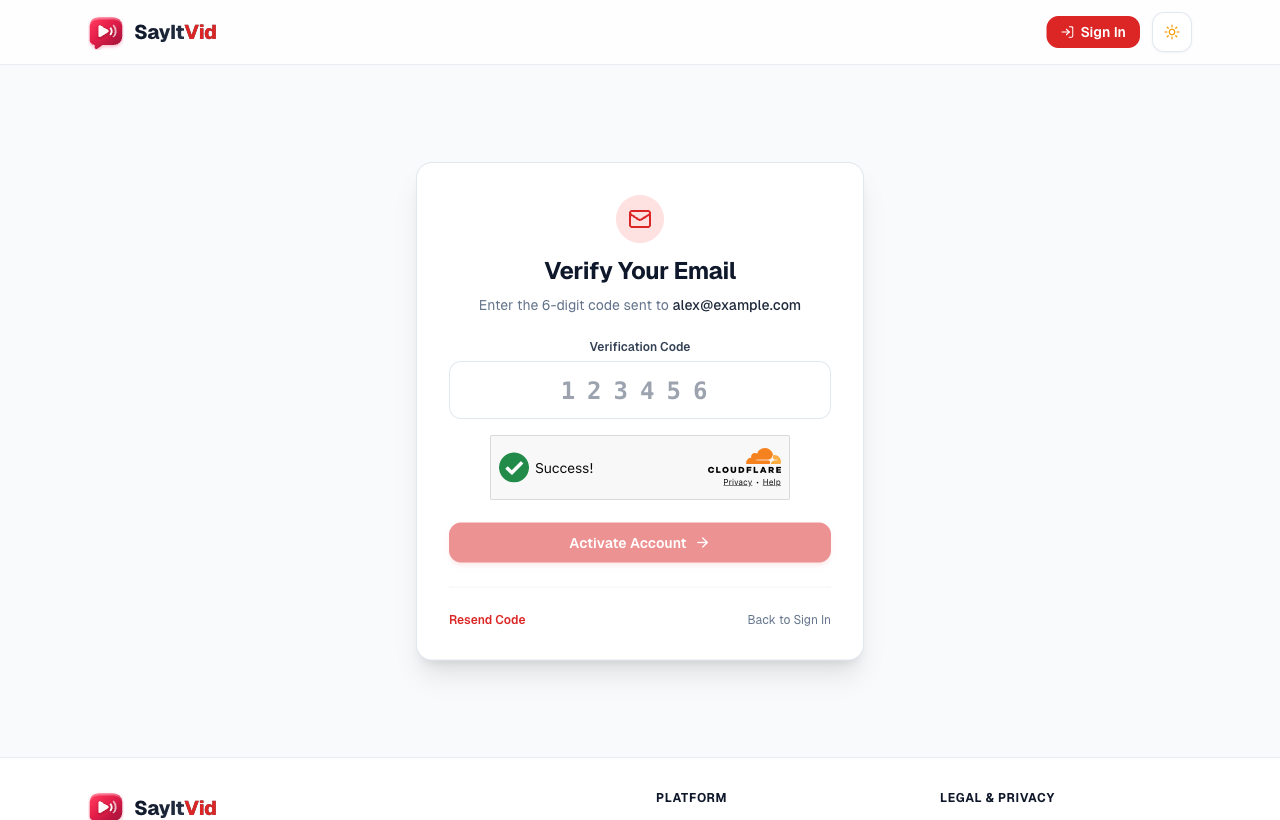
Security codes stay valid for 15 minutes. If yours expires before you enter it, just click Resend Code to get a fresh one.
Logging In to Your Account
Whenever you come back to SayItVid, signing in is straightforward:
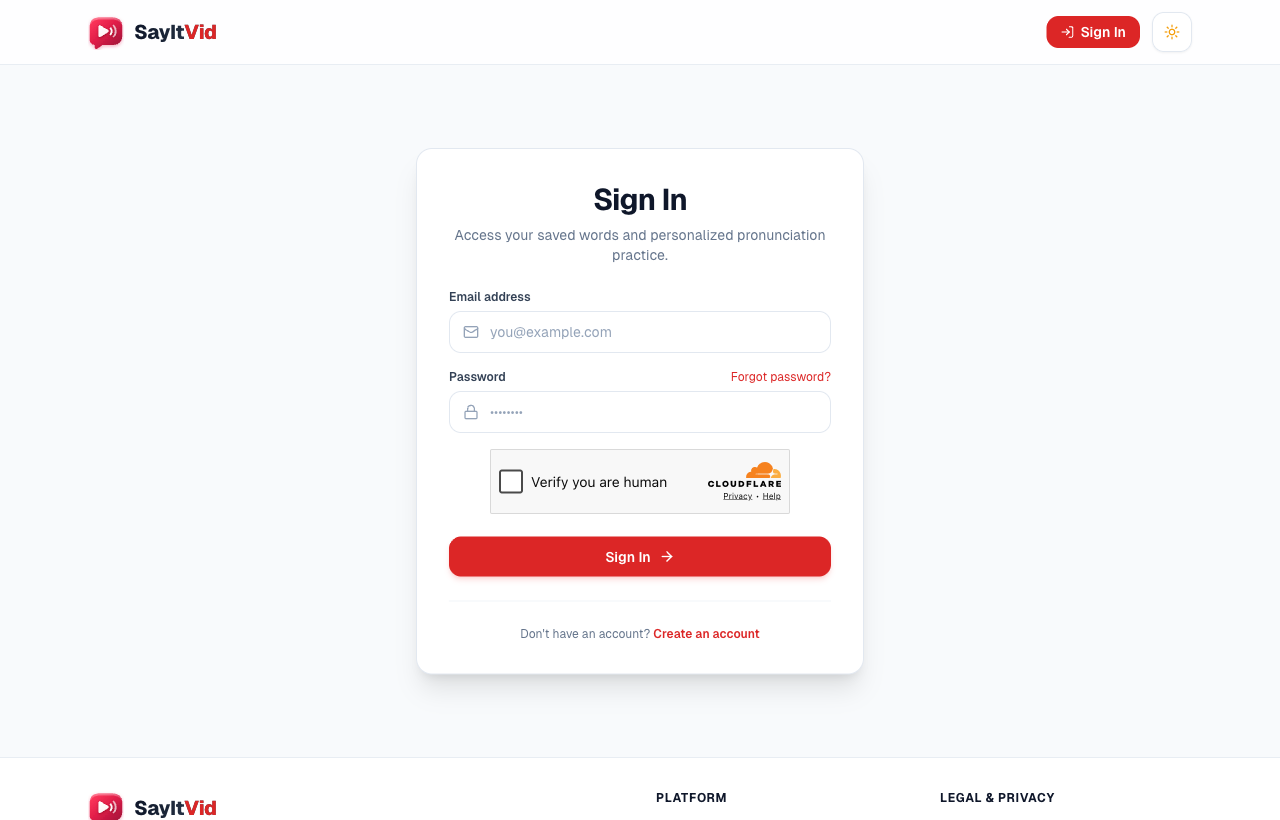
- 1Click the Sign In button at the top right of the page (or go straight to /login).
- 2Type your registered email address and password.
- 3Click Sign In.
Your browser will remember you, so you do not have to type your password every single time you return.
Forgot Your Password? Here is How to Reset It
Don't worry if you ever forget your password. You can reset it in two minutes:
- 1On the sign-in screen, click Forgot your password? (or visit /forgot-password directly).
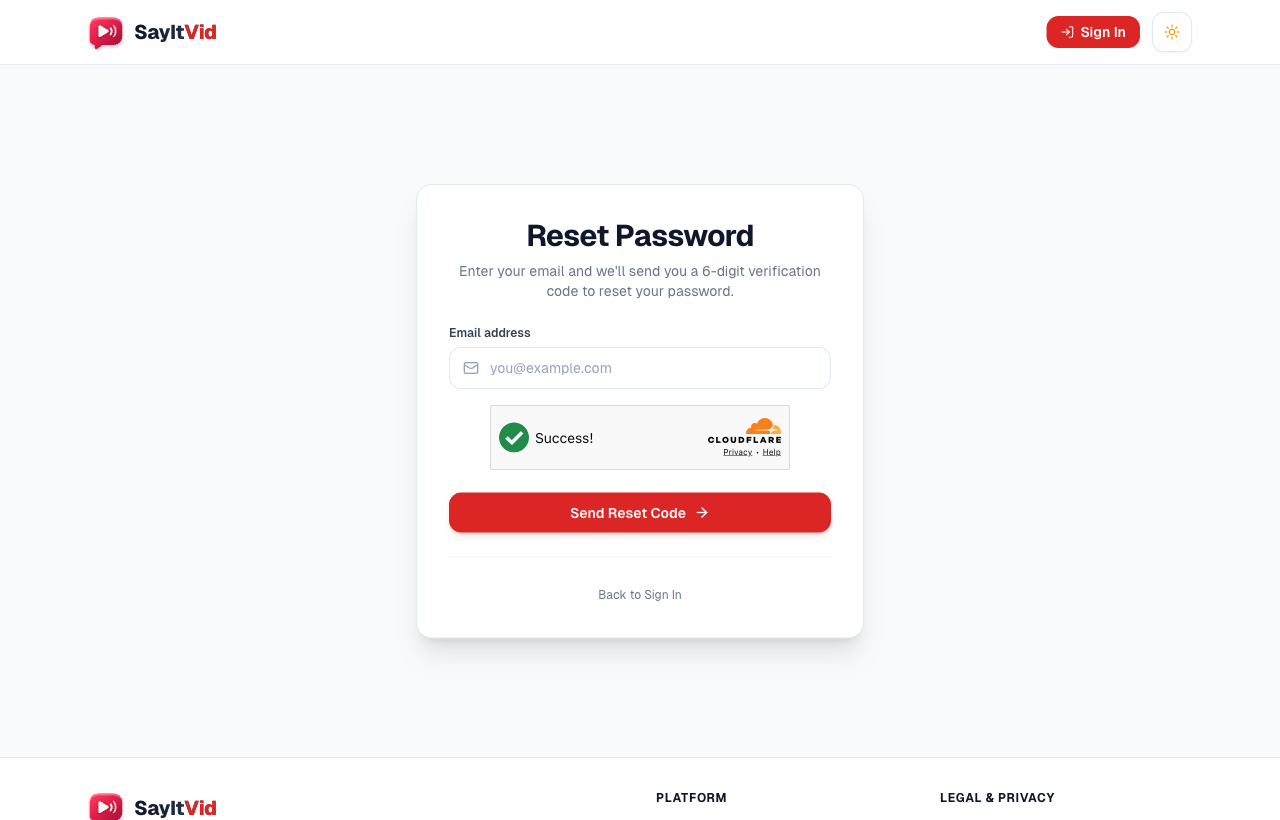
- 2Enter your email address and click Send Reset Code.
- 3Check your email for a 6-digit reset code.
- 4Enter the code along with your new password and click Reset Password.
Your new password is saved securely, and you can log in right away with your new credentials.
Pick a password that mixes letters and numbers so your account stays safe and secure.
Your Privacy and Deleting Your Account
We take your privacy seriously. We never sell your email address or personal data to advertisers, and your password is fully scrambled and encrypted so nobody can read it.
If you ever want to leave SayItVid, you are in complete control. You can delete your account yourself anytime from your Account Settings. Deleting your account permanently erases your profile, all your saved playlists, and your bookmarks from our system. Check our Privacy Policy and Terms of Service to learn more.
Key Takeaway
Having a SayItVid account gives you unlimited pronunciation searches, personal playlists, and easy study across all your devices. Create Account today and start saving your favorite native pronunciation clips!

SayItVid Team
AuthorPlatform & Product Guides
Official guides, tutorials, and product walkthroughs from the SayItVid platform development and linguistics team.