
SayItVid cho macOS
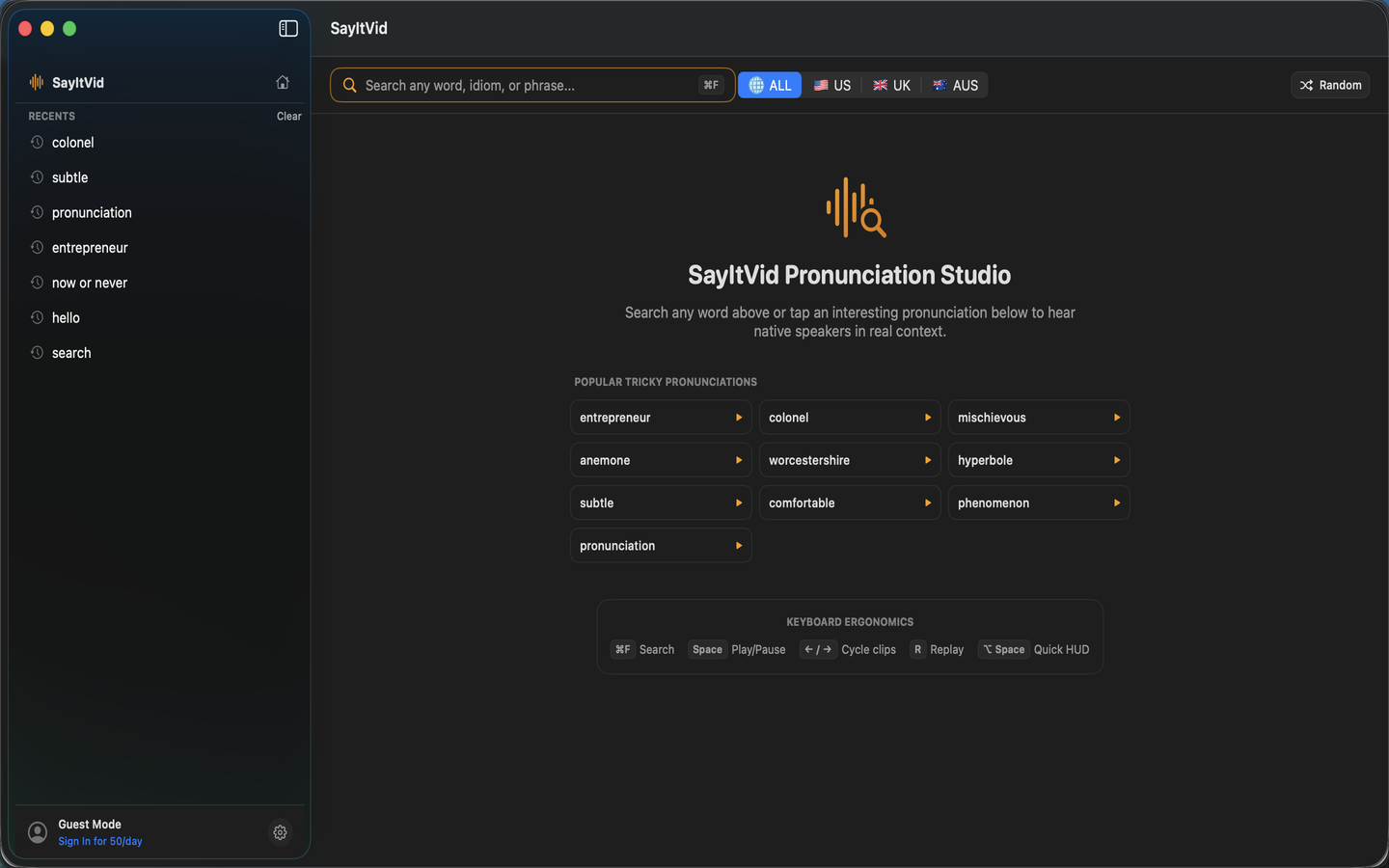
Làm chủ phát âm tiếng Anh chuẩn xác trên máy Mac. Mở HUD nổi bằng ⌥ Space, nghe phát âm chữ đã chọn bằng ⌥ ⌘ P và xem video clip thực tế.
How It Works
Native, instant, and frictionless. Three ways SayItVid accelerates your English fluency on Mac:
Summon Anywhere with ⌥ Space
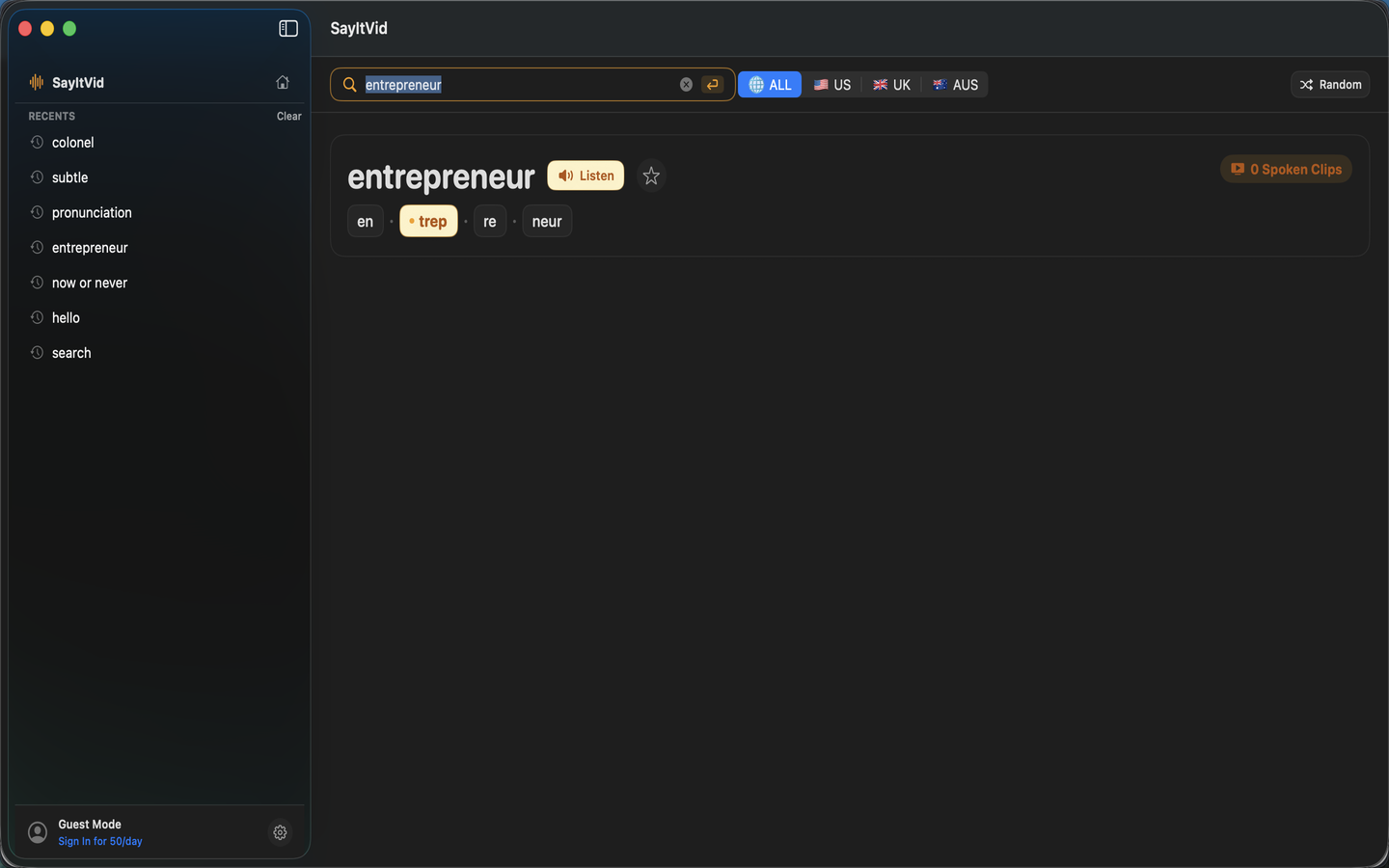
Press ⌥ Space from any desktop or app to open the translucent floating search HUD. Type any word for immediate IPA, syllable stress, and dictionary audio.
Highlight & Pronounce with ⌥ ⌘ P
Select any unfamiliar word in Safari, Slack, Mail, Xcode, Apple Books, or PDF documents and press ⌥ ⌘ P for instant lookup without losing your place.
Real Video Clips & Accent Switching
Watch authentic timestamped YouTube video excerpts with synchronized subtitle cues. Easily cycle between American (2), British (3), and Australian (4) accents.
Engineered Exclusively for macOS
Crafted with pure Swift and SwiftUI for sub-100ms response times, native liquid vibrancy, and zero battery drain.
Spotlight-Style Floating HUD
A translucent, floating HUD that appears centered when triggered and dismisses cleanly with Esc. Highlights stressed syllables in bold colour with complete IPA transcriptions.
Universal Text Selection Lookup
Highlight text anywhere across macOS — Safari, Slack, Mail, Xcode, or PDF readers — and trigger instant pronunciation via the global ⌥ ⌘ P shortcut.
Triple-Accent Audio & Video Filtering
Compare General American, British Received Pronunciation, and Australian English cadences side-by-side with real video timestamps and subtitle cues.
Lightweight & Privacy First
Sub-100ms launch time, pure native Swift code with zero web bloat. No background tracking or clipboard monitoring. Includes offline fallback with Apple speech synthesis.
Keyboard-First Productivity
Navigate pronunciations and video playback at the speed of thought:
Summon the Spotlight-style pronunciation overlay from any screen or app.
Look up highlighted text in Safari, Slack, Notes, Preview, or Xcode instantly.
Cycle through real native speakers in authentic context with arrow keys.
Keys 1–4 switch All, US, UK, and AUS accents; press R to instantly replay.
Frequently Asked Questions
Is SayItVid for macOS completely free?▼
Yes! SayItVid is 100% free to download on the Mac App Store. There are no subscriptions, paywalls, or hidden in-app purchases.
Which macOS versions and Macs are supported?▼
SayItVid supports macOS 14.0 (Sonoma) and macOS 15.0 (Sequoia) or newer. It is compiled as a Universal Binary with native support for both Apple Silicon (M1, M2, M3, M4) and Intel Macs.
Can I use SayItVid when I am offline?▼
Yes. When offline, SayItVid uses local algorithmic syllable division and stress heuristics, accompanied by high-quality Apple AVSpeechSynthesizer voice output.
How does the ⌥ ⌘ P shortcut work across different apps?▼
Highlight any word or idiom in Safari, Notes, Mail, Pages, Preview, Slack, Discord, or Xcode, then press ⌥ ⌘ P. SayItVid reads the selection via macOS Accessibility services and immediately displays pronunciation without interrupting your flow.
Experience Native English Pronunciation on Your Mac
Download SayItVid free on the Mac App Store today and master spoken English in authentic context.
Get on Mac App Store