
When searching for words on SayItVid, you will often find video moments where a speaker explains or pronounces a word with total clarity. Instead of writing notes on paper or losing the video link, SayItVid Playlists let you save that exact clip into your personal study collection. Here is how to create, organize, and share your own playlists.
What Are Playlists on SayItVid?
A Playlist is your personal collection of real video moments saved on SayItVid.
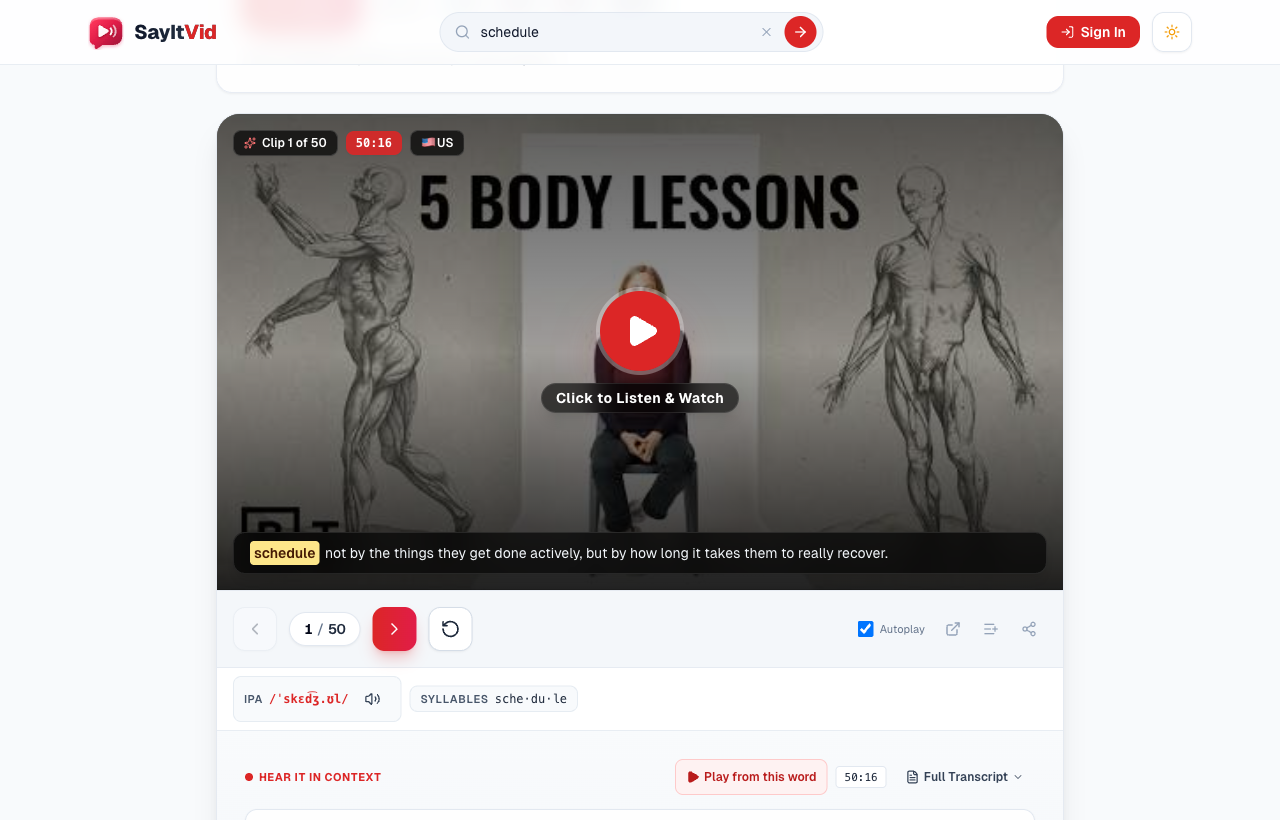
Instead of bookmarking an entire 20-minute YouTube video, a playlist item saves only the short 5-to-10 second clip where the speaker pronounces your target word. Each clip automatically includes:
- Exact timestamp: The player jumps straight to the exact second where the word is spoken.
- Subtitle caption: The complete sentence is highlighted below the video so you can follow along.
- Regional accent flag: Easily see whether the speaker has an American, British, or Australian accent.
Saving clips of the same word spoken by different people helps you hear how real pronunciation naturally varies between everyday speakers.
How to Save a Video Clip to a Playlist
Whenever you search a word and find a clip you like, saving it takes just one click:
- 1Look right beneath the video player for the Add to Playlist icon (the list icon with a plus sign, right next to the arrow controls).
- 2Click it to open your playlist menu.
- 3Click on the playlist where you want to store the clip. A green checkmark appears instantly to confirm it is saved!
Creating and Naming Your Playlists
You can create as many playlists as you need to stay organized.
There are two quick ways to make a new one:
- While watching a video: Click the Add to Playlist button, type a new title in the text box, and click Create.
- From your Saved page: Go to /saved in the top menu and click + New Playlist.
Give your playlist a clear name that matches what you are working on, such as "Tricky Silent Letters", "Words for Job Interviews", or "British Accent Favorites".
How to Practice with the Playlist Player
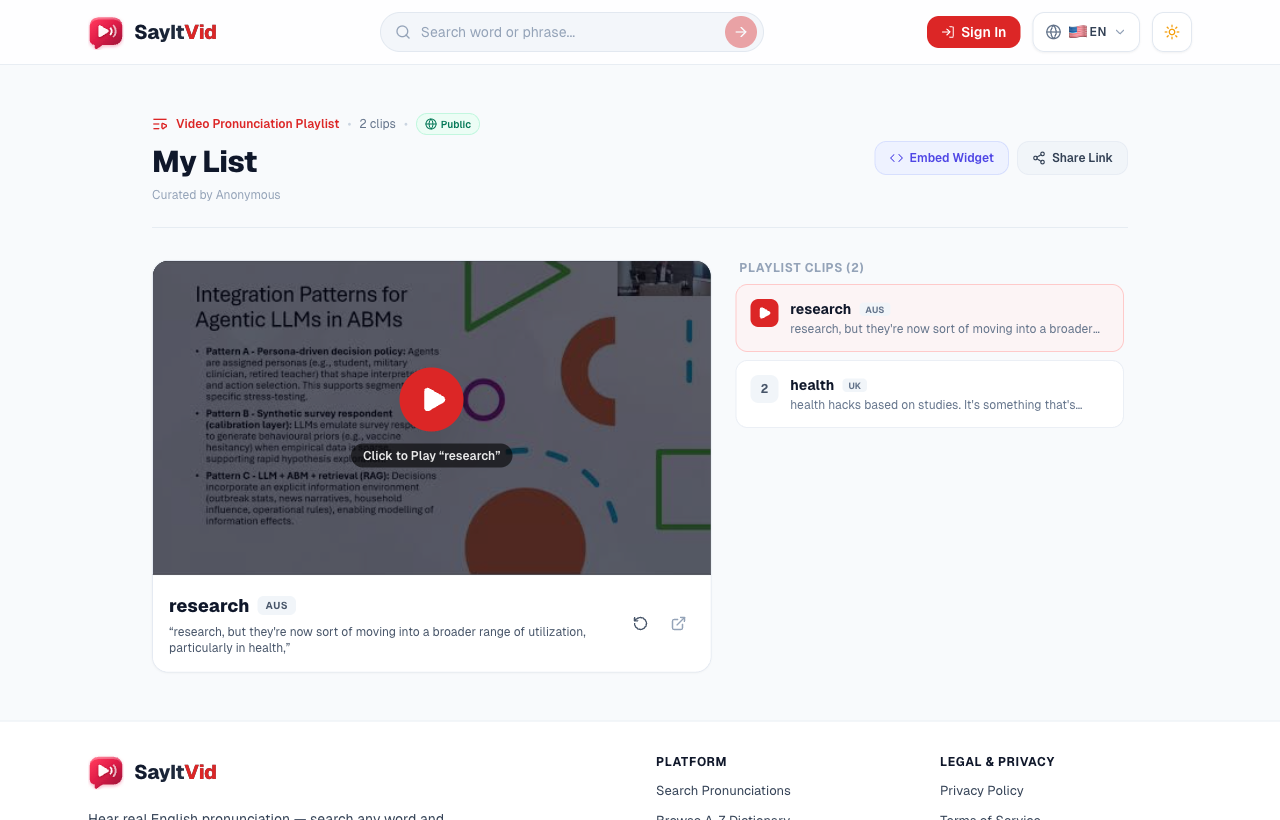
When it is time to practice, open any playlist from your /saved collection to launch your dedicated study screen:
- Watch and Listen: Click Play to hear native speakers pronounce each word in full sentences.
- Repeat Tricky Sentences: Click the circular replay button beneath the video to loop the sentence. This is the single most effective way to shadow and match the speaker's mouth movements and speed.
- Browse Your Clips: All your saved clips are neatly listed on the side. Click any word to jump straight to it.
- Remove Mastered Words: Once you have mastered a word, click the trash icon next to it to keep your list fresh.
Try repeating each clip out loud 3 times: first while reading the subtitles, second with your eyes closed, and third at full natural speed.
Keeping It Private vs. Sharing with Friends
Every playlist gives you simple privacy choices:
- Private: All new playlists are private by default. Only you can view them when signed in to your account.
- Public: Want to share your list with a classmate, study partner, or student? Click the button to switch it to Public.
When public, SayItVid gives you a short shareable link that you can copy and send via WhatsApp, Telegram, email, or social media. Anyone who clicks your link can view and play your clips immediately—no account needed!
3 Great Ways to Use Playlists
Here are three popular ways learners and teachers use playlists:
- For Language Learners: Build a "troublemaker" list of words you often stumble on (like "comfortable", "schedule", or "receipt") and review them for 5 minutes every morning.
- For English Teachers: Group 5 short video examples together and send the link to your class for speaking practice before your next lesson.
- For Workplace Confidence: If you have an upcoming presentation or job interview, gather the key industry terms so you can practice speaking them smoothly and clearly.
Key Takeaway
SayItVid Playlists turn random video searches into an organized, personal English study plan. Visit your Saved Playlists or Create Account today to start building your pronunciation library!
Words in This Guide:

SayItVid Team
AuthorPlatform & Product Guides
Official guides, tutorials, and product walkthroughs from the SayItVid platform development and linguistics team.